Korea Travel Apps: Which Ones Work in English (2026)

Quick answer: The Korea travel apps worth installing before you fly are Naver Map (directions), Papago (translation), k.ride (taxis with a foreign card) and Korail+ (KTX trains, including former SRT services; launched 3 August 2026 as an update to Korail Talk). All four list English in their App Store listings. The SRT app and Tmoney GO won’t help much: their listings show Korean only.
Most Korean apps are built for Korean phone numbers and bank cards, so “has an English menu” and “works for a tourist” aren’t the same thing. Below, “English” means the app’s official App Store listing includes English (checked 10 October 2026). Where the operator says it works without a Korean number or card, we say so.
Which Korea travel apps do you actually need?
You need one app each for maps, taxis, trains and translation. The rest are optional.
| Need | App (Korean name) | English in app listing | Notes for visitors |
|---|---|---|---|
| Maps and transit directions | NAVER Map (네이버지도) | Yes (also Japanese, Chinese) | Main choice for walking and transit routes |
| Backup map | KakaoMap (카카오맵) | Yes | Second opinion on routes |
| Taxis | k.ride (케이라이드) | Yes (also Japanese, Chinese) | Built for visitors; foreign cards, Alipay+, WeChat Pay |
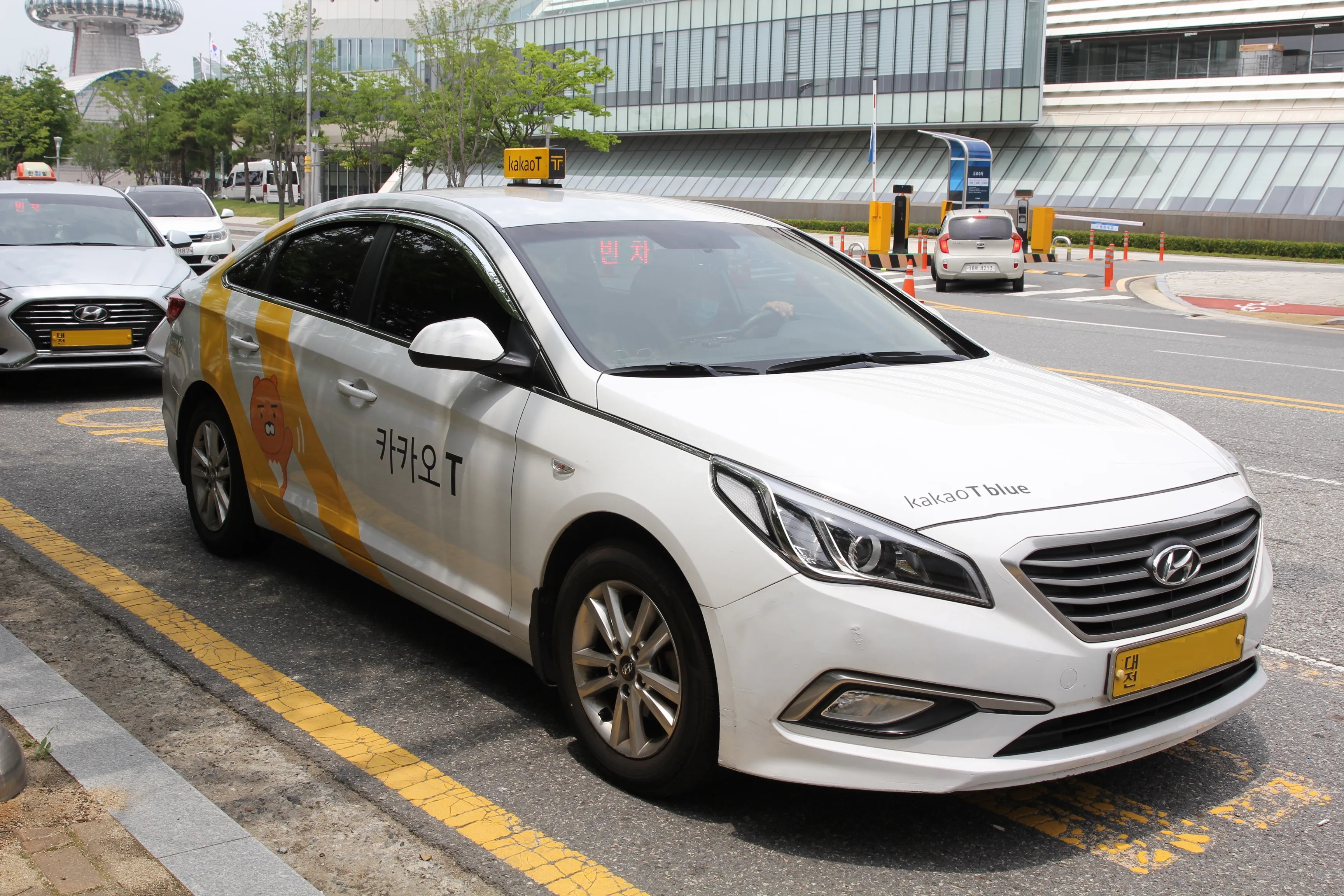
| Taxis (Korean app) | Kakao T (카카오 T) | Yes | The Korean-market app; k.ride is Kakao Mobility’s visitor version |
| KTX and SRT trains | Korail+ (코레일+) | Yes (plus Japanese, Chinese, Thai, Vietnamese) | Replaced Korail Talk in August 2026 |
| SRT-only app | SRT (수서고속철도) | No (Korean only) | Use Korail+ instead |
| Express and intercity buses | Tmoney GO (티머니GO) | No (Korean only) | — |
| Seoul subway | Seoul Subway official app (또타지하철) | Yes | From Seoul Metro, which runs Lines 1–8 |
| Translation | Papago (파파고) | Yes | 14 languages, photo and voice translation |
| Restaurant bookings | CATCHTABLE (global app) | Yes (20 languages) | No Korean phone number needed |
Does Google Maps work in Korea now?
Not fully, so don’t rely on it yet. Korea’s government conditionally approved Google’s request to take high-precision map data abroad on 27 February 2026, a step Google needed for walking and driving directions. As of 10 October 2026, a launch of full directions in Korea hadn’t been officially confirmed.
Until it is, use NAVER Map. Its App Store listing describes transit directions with real-time arrival times, alerts for when to get on and off, street view, and a booking tab that includes train tickets. KakaoMap also lists English and is a useful cross-check when a route looks odd.
Tip: search places by their Korean name (copy it from a guide like this one) for the most accurate result. English spellings of the same place vary.
Which taxi app works with a foreign credit card?
Use k.ride, Kakao Mobility’s app for overseas visitors. It runs on the same Kakao T taxi network but is designed for foreign accounts and payment.
According to Kakao Mobility’s k.ride site and App Store listing:
- The app is in English, Japanese and Chinese, and destination search and driver chat are auto-translated across 133 languages.
- You see an estimated fare before you call.
- You pay automatically after the ride with a registered credit or debit card, or with Alipay+ wallets and WeChat Pay.
- Sign-up is with Google, Apple or email, according to Kakao Mobility; the App Store listing also offers phone verification.
- Ride types include Standard, Comfort (minivan), Deluxe and Luxury.
Kakao T itself lists English too, but Kakao Mobility built k.ride specifically for overseas visitors, so start there. If you already use k.ride at home (its App Store listing names 35 service countries, including the US, Canada and UK), you can use the same account in Korea.
Which apps do you need for trains and the subway?
Install Korail+ for intercity trains. It launched on 3 August 2026 as an update to Korail Talk, and it now books KTX and former SRT trains in one app.
- If you already have Korail Talk, update it — it becomes Korail+. New users install Korail+.
- Search your route. Since 1 September 2026, KTX and SRT run as one integrated service, and both appear in Korail+.
- Book your seat or a KORAIL Pass product. The listing says the app has multi-language support for foreign visitors.
The government’s August release says fares on integrated services were cut by about 10%, to SRT levels. The old SRT app runs alongside for now, but its listing is Korean only.
For the Seoul subway, the Seoul Subway official app from Seoul Metro is made for foreign riders: route search, real-time trains, exits and restrooms. KakaoMetro (카카오지하철) also lists English and tells you which carriage stops nearest your exit. Both help, but you still pay with a transit card. See our T-money vs Climate Card guide.
What about translation, restaurants and food delivery?
Papago is Naver’s translator. Its listing covers 14 languages, including Korean and English. It translates photos of menus and signs, voice, two-way conversation and, offline, typed text.
For booking restaurants, the CATCHTABLE global app (separate from the Korean 캐치테이블 app) lists 20 languages. It says no Korean phone number is required, and you pay with an email account and credit card.
Food delivery is harder. Baemin (배달의민족) and Coupang Eats both list English, but their operators don’t clearly state, in pages we could find, whether visitors can sign up and pay with a foreign number and card. Treat delivery as a nice-to-have.
What should you set up before you fly?
Do these at home on Wi-Fi, since sign-ups may ask you to verify your phone.
- Check whether you need a K-ETA. Use the Ministry of Justice’s official K-ETA app or website, and apply at least 72 hours before you board, since approval can take that long. The temporary exemption for currently exempt countries runs until 31 December 2026; the app tells you if your passport qualifies.
- Install NAVER Map, Papago, k.ride and Korail+, and sign in to k.ride with your payment card.
- Download offline translation in Papago.
- Optional: WOWPASS. Its app shows your WOWPASS card balance in your home currency, shows your T-money balance, and lets you lock the card if you lose it.
- Sort out mobile data. None of these apps help without a data plan or eSIM.
What changed recently
- 27 February 2026: Korea conditionally approved Google’s high-precision map data export, the step needed for Google Maps directions. Launch timing unconfirmed.
- 3 August 2026: Korail+ replaced Korail Talk and added SRT booking.
- 1 September 2026: KTX and SRT began integrated operation.
- 23 December 2025: The temporary K-ETA exemption was extended through 31 December 2026.
FAQ
Is Naver Map available in English?
Yes. Its App Store listing includes English, Japanese and Chinese alongside Korean. For small shops and restaurants, searching by the Korean name can find places an English spelling misses.
Can I use Uber in Korea?
Uber’s app is listed in the Korean App Store, but for visitors k.ride is the clearer choice: its operator states it supports foreign cards, Alipay+ and in-app translation in 133 languages.
Do I still need the Korail Talk app?
No. Korail Talk became Korail+ on 3 August 2026; updating the old app converts it. Korail+ books both KTX and SRT.
Is Papago better than Google Translate in Korea?
Papago is made by Naver, a Korean company, and Korean is one of its 14 core languages, with photo, voice and offline text translation. Google Translate works too; having both lets you cross-check a confusing result.
Do these apps need a Korean phone number?
Not all of them. k.ride lets you sign up with Google, Apple or email, and CATCHTABLE’s global app says no Korean number is needed. Apps aimed at Koreans, like Tmoney GO and the SRT app, are Korean-only.
Related guides
 Apps & Payments
Kakao T for Foreigners (2026): Which Foreign Cards Work, How to Pay
Kakao T for foreigners: Visa, Mastercard, JCB and Amex work for taxi auto-pay if the name matches your account. Setup steps, fees and the k.ride option.
 Apps & Payments
Naver Map English Guide 2026: No Login, No Korean Number Needed
Naver Map works in English with no login or Korean number. Google Maps still has no walking directions in Korea; here's setup and exit-by-exit routes.
 Apps & Payments
Apple Pay in Korea 2026: Does It Work With a Foreign Card?
Apple Pay works in Korea with a foreign card only at tap-to-pay terminals. For the subway, Wallet T-money tops up with Mastercard or Amex, not Visa.
Sources
- Kakao Mobility — k.ride, taxi app for global travelers
- App Store — k.ride (Kakao Mobility): languages, payment, sign-up
- Kakao Mobility — k.ride: sign up with Google, Apple or email; foreign cards and mobile wallets (Korean)
- KDI Economic Information (Ministry of Land, Infrastructure and Transport release) — Integrated rail app Korail+ launches 3 August 2026 (Korean)
- App Store — KORAIL+ (Korea Railroad Corporation)
- App Store — NAVER Maps (NAVER Corp.)
- App Store — Naver Papago AI Translator (NAVER Corp.)
- App Store — Seoul Subway Official App (Seoul Metro)
- App Store — CATCHTABLE: Book Restaurants (WAD corp)
- K-ETA (Ministry of Justice) — Temporary K-ETA exemption extended to 31 December 2026 (Korean)
- Korea Immigration Service — K-ETA overview: apply at least 72 hours before boarding (Korean)
- Newsis — Government conditionally approves Google's high-precision map export (Korean, 27 Feb 2026)